
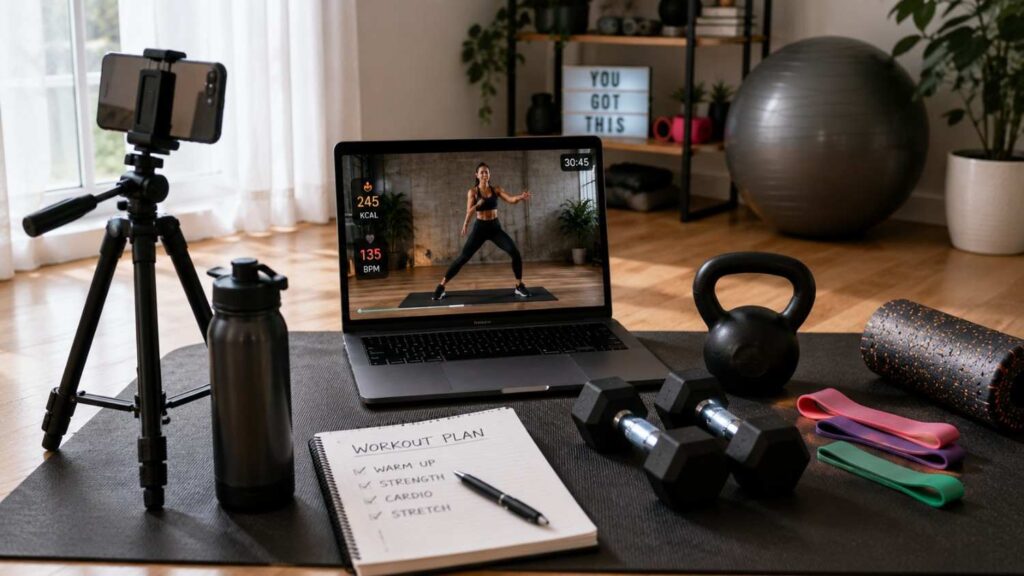
Best Equipment for Virtual Fitness Classes
Choosing the Best Equipment for Virtual Fitness Classes is not about recreating a commercial gym in your living room. A useful setup combines dependable technology, a safe training space, and a small amount of exercise gear that matches the class you actually attend. The goal is to remove distractions so you can hear instructions, see demonstrations, move safely, and receive feedback when the session includes live coaching.
Different class formats create different equipment priorities. A yoga or Pilates participant may care most about floor space, grip, cushioning, and screen placement. A strength-training client may need resistance bands or dumbbells along with a camera angle that allows the trainer to review movement. Someone joining HIIT or dance-based sessions may require very little resistance equipment but considerably more open floor space.
A sensible setup should therefore grow in stages. Start with the device and internet connection you already have, then identify what limits the experience. Improve audio when instructions are difficult to hear. Add a stand when the device keeps slipping. Buy resistance equipment when your class requires it. This practical approach avoids unnecessary spending while still creating a setup that can support consistent virtual training.
What Equipment Do You Need for Virtual Fitness Classes?
A complete virtual fitness setup has three basic layers: technology, exercise equipment, and space. Technology connects you to the class and allows you to see or communicate with the instructor. Exercise gear supports the movements being taught, while the physical environment gives you enough room to perform those movements safely. Beginners often focus immediately on weights and mats, but the technology and room layout deserve equal attention.
The good news is that many classes require relatively little equipment. ACSM has noted that streamed workouts vary widely in their equipment demands, with some requiring specific items and others needing minimal or no dedicated gear. A bodyweight cardio class may require nothing beyond a device and safe floor space, while a strength session might use bands or dumbbells. The class description should therefore be your first buying guide.
For a practical breakdown of how equipment needs can vary by training style, online training equipment guidance from ISSA is also useful.
For most people, a strong starter setup includes a phone, tablet, or computer; a stable internet connection; a secure stand or viewing position; enough room to move; and a comfortable exercise mat. Resistance bands or a small set of weights can then expand the number of classes you can follow. Specialized items should be added only when a specific training program makes them useful.
A Phone, Tablet, Laptop, or Computer
Your main device acts as the connection between you and the instructor, so visibility and reliability matter more than owning the newest hardware. A smartphone is often enough for simple streamed classes, especially when the device can be positioned securely at eye level. The main drawback is screen size. Small demonstrations may become difficult to follow when you move several feet away during standing exercises.
A tablet offers a useful middle ground because it provides a larger display without requiring a permanent desk setup. Laptops generally provide even more viewing space and can be convenient for interactive classes because their built-in camera, speakers, and microphone are integrated. Desktop computers work well when the workout area is close enough to the screen and camera.
Before buying a new device, test what you already own. Run the class platform, position the device where it will normally sit, and move through several standing and floor exercises. If you can see instructions clearly and the device handles the video without performance problems, an upgrade may provide little practical benefit.
A Stable Internet Connection
Live virtual fitness classes depend on continuous video and audio, which makes a stable connection essential. High advertised download speed does not automatically guarantee a smooth experience if the signal is weak, the network is congested, or latency is poor. A reliable connection helps prevent frozen demonstrations, delayed verbal cues, and interruptions that make it difficult to stay in rhythm with the class.
Zoom currently publishes different bandwidth recommendations depending on video quality and meeting format. Its guidance lists approximately 1.2 Mbps upload and download for 720p one-to-one HD video, with higher requirements for 1080p and some group-video situations. These figures show that virtual classes do not necessarily require extreme broadband speeds, but consistency still matters.
If the connection becomes unstable, improve the network before purchasing a more expensive camera. Move closer to the router, reduce competing network activity, try a wired Ethernet connection when practical, or use a less congested Wi-Fi band. Google Meet troubleshooting guidance similarly emphasizes network quality and suggests Ethernet or 5 GHz Wi-Fi in appropriate situations.
A Stable Stand or Tripod
A stable stand is one of the least glamorous pieces of virtual fitness equipment, yet it can improve the experience significantly. Holding a phone against a water bottle or balancing a tablet on furniture may work temporarily, but these setups often shift during the session. A proper stand keeps the device at a predictable height and makes camera adjustments much easier.
For one-way classes, the main objective is simply to keep the screen visible. Interactive sessions require more careful positioning because the instructor may need to see your whole body. Squats, lunges, floor exercises, and overhead movements can all require different framing. An adjustable tripod lets you change the height and angle without rebuilding the setup each time.
Choose stability over unnecessary features. The stand should support the weight of your device, remain steady when you move nearby, and allow enough adjustment for both standing and floor-based exercises. A simple, dependable tripod often provides more practical value than complex accessories that make setup slower.
Best Audio and Video Equipment for Online Workouts
Audio and video quality shape how easily you can follow instructions and receive feedback. Video helps you see demonstrations, but audio often carries even more information because instructors continue explaining technique while participants look away from the screen. If you repeatedly miss verbal cues, improving the audio setup may benefit your workouts more than upgrading the camera.
Start with built-in hardware before buying dedicated accessories. Modern phones, tablets, and laptops generally include cameras, microphones, and speakers that may be sufficient for many virtual fitness classes. A separate webcam, headset, or microphone becomes useful when the built-in components create a specific problem such as poor framing, weak volume, echo, or unclear communication.
A simple live setup can start with a phone or camera, a stable connection, and secure mounting, with live streaming equipment added as your needs grow.
The correct priorities also depend on the class format. One-way streamed workouts require little from your microphone or camera because the instructor cannot see or hear you. Interactive coaching creates higher requirements because your trainer may need to observe technique and hear questions. Understanding that difference prevents unnecessary equipment purchases and helps you spend money where it has the greatest impact.
| Equipment Category | Main Purpose | Best Use Case | Key Consideration |
|---|---|---|---|
| Phone | Video viewing and live participation | Small workout spaces and basic classes | Secure positioning and screen visibility |
| Tablet | Larger viewing area | Yoga, Pilates, mobility, and general workouts | Easy-to-see screen from workout position |
| Laptop/Computer | Larger display and two-way communication | Live coaching and interactive classes | Performance, camera position, and connectivity |
| Webcam | Improved camera positioning | Two-way coaching and technique feedback | Full-body visibility and camera angle |
| Headphones | Clearer audio and reduced echo | Live coaching and interactive sessions | Secure fit and awareness of surroundings |
| Microphone | Better voice communication | Classes involving questions or feedback | Clear voice pickup and low background noise |
| Tripod/Stand | Stable device positioning | Full-body workouts and live classes | Adjustable height and viewing angle |
| Lighting | Better visibility on camera | Live technique coaching | Avoid strong backlighting |
Webcam or Built-In Camera
A built-in camera is often perfectly adequate for virtual training, particularly when the device can be placed where the instructor has a useful view. Resolution is only one part of image quality. A lower-resolution camera with good lighting and proper positioning may provide a more useful coaching view than an expensive webcam aimed from the wrong angle.
A separate webcam becomes valuable when the built-in camera is difficult to reposition or produces an image that is too dark, narrow, or unclear. Desktop users may also prefer an external camera because it can be placed independently of the monitor. For movement-based coaching, flexibility in positioning often matters more than small differences in image sharpness.
Before upgrading, test the camera with the actual exercises you perform. Record a squat, lunge, floor movement, and overhead reach. Check whether your full body remains in frame and whether the trainer could reasonably see the positions that matter. If the image is clear enough for useful feedback, the existing camera may already be doing its job.
Headphones and Microphone
Headphones can improve concentration when background noise makes the instructor difficult to hear. They may also reduce echo during interactive video sessions because the instructor’s voice no longer plays loudly through external speakers and returns through your microphone. Google Meet troubleshooting guidance includes headsets with microphones as one option when users experience audio communication problems.
The design should match the workout. Large over-ear headphones may be comfortable for slower strength or mobility sessions but can become hot or unstable during fast cardio. Small wireless earbuds are less restrictive, although fit becomes important when running, jumping, or changing positions quickly. Choose equipment that remains secure without becoming another distraction.
A dedicated microphone is rarely necessary for an ordinary participant unless communication quality remains poor. In most cases, a headset microphone or the microphone built into the device is sufficient. Spend money on a separate microphone only when the instructor consistently struggles to hear you and simpler positioning or headset changes do not solve the problem.
Simple Lighting
Good lighting matters most when your instructor needs to see you. Poor lighting can hide body position even when the camera itself is capable of producing a sharp image. Strong light behind you is particularly problematic because the camera may expose for the bright background and leave your body much darker than the rest of the scene.
The simplest solution is often free. Face a window during daytime classes or place a household lamp in front of you rather than behind you. The goal is even illumination rather than dramatic studio lighting. Your face and body should be easy to distinguish from the background without harsh glare directly in your eyes.
Test lighting from your actual workout location rather than while sitting close to the screen. Stand where you will perform exercises and check the preview. Move through several positions, including floor work. If your body remains clearly visible throughout the movement area, additional lights are unlikely to provide meaningful benefit.
Related Articles
Best Home Workout Equipment for Virtual Classes
Once the technology works reliably, home workout equipment becomes the next priority. The right gear depends on the type of classes you plan to attend, your training experience, available space, and storage options. A small apartment may benefit more from compact resistance bands and adjustable equipment, while a dedicated home gym can accommodate a broader range of weights.
Multipurpose equipment generally provides better value than specialized machines for beginners. ACSM identifies items such as exercise mats, resistance bands, kettlebells, and stability balls as useful home-training tools for different purposes. ACE also discusses home resistance exercise using relatively simple equipment, showing that effective training does not always require a large collection of machines.
The best buying strategy is to select equipment that appears repeatedly in the classes you enjoy. A high-quality mat may support yoga, stretching, mobility, Pilates, and floor-based strength work. Resistance bands can support strength and mobility exercises. Dumbbells can cover a wide range of upper- and lower-body movements. Equipment that serves several purposes usually deserves priority over items designed for one occasional exercise.
| Workout Type | Core Equipment | Optional Equipment | Main Space Requirement |
|---|---|---|---|
| Yoga | Exercise mat | Yoga blocks, resistance bands | Open floor space |
| Pilates | Exercise mat | Resistance bands, stability ball | Clear floor area |
| Strength Training | Dumbbells or resistance bands | Kettlebell, adjustable weights | Enough room for controlled movements |
| HIIT | Bodyweight setup | Dumbbells, resistance bands | Larger open area for fast movements |
| Mobility | Exercise mat | Resistance bands | Comfortable floor space |
| Bodyweight Training | Minimal or no equipment | Exercise mat | Clear movement area |
| Cardio Classes | Class-specific setup | Indoor bike or other cardio equipment | Space suited to movement type |
| Live Coaching | Device, camera, stable connection | Tripod, headphones, lighting | Camera-friendly full-body area |
Exercise Mat
An exercise mat is one of the most versatile pieces of equipment for virtual training because many classes move between standing and floor positions. Yoga and Pilates depend heavily on mat work, but strength, mobility, stretching, and core sessions may also involve kneeling, lying, or supporting body weight through the hands and elbows.
Thickness and grip should match the activity. A very soft mat may feel comfortable during stretching but can reduce stability in movements that require a firm connection with the floor. A thinner, grippier surface may suit yoga, while someone who spends significant time kneeling may prefer slightly more cushioning. The correct choice depends on comfort and movement demands.
Size also matters. The mat should provide enough room for your body without filling the entire training area. Make sure the edges lie flat so they do not create a tripping hazard during standing movements. If the class involves frequent transitions on and off the mat, stable placement becomes particularly important.
Resistance Bands and Dumbbells
Resistance bands are useful because they are compact, relatively easy to store, and adaptable to many movements. Different resistance levels can support beginners and more experienced users, while loop bands and longer bands serve different purposes. They can be used for strength work, activation exercises, mobility drills, and some forms of assistance.
Dumbbells provide predictable external resistance and appear frequently in virtual strength classes. A fixed pair may be enough for beginners, but one weight will eventually become too light for some exercises and too heavy for others. Adjustable dumbbells can solve that problem in limited spaces, although the specific design should be evaluated for safe and convenient changes during class.
The right resistance should match your ability and the instructor’s programming. Do not choose the heaviest equipment you can move once. You need loads that allow you to complete the prescribed repetitions with appropriate technique. If a class requires several resistance levels, ask whether the instructor provides substitutions before buying multiple sets.
Optional Equipment for Specialized Classes
Specialized classes may introduce kettlebells, stability balls, yoga blocks, suspension trainers, indoor bicycles, rowing machines, step platforms, or other equipment. These items can add variety and support specific training goals, but they should not automatically appear on a beginner shopping list.
The best time to invest is after you know the equipment will be used consistently. Someone who regularly follows kettlebell training may gain significant value from a properly selected kettlebell. A person who only sees one kettlebell exercise every few weeks may be better served by an alternative the instructor can provide.
Space should also influence the decision. Larger equipment can affect room layout, storage, and even camera placement. Before purchasing a bulky item, measure the available area and consider where the equipment will stay when it is not being used. A useful home gym should support training without making the room difficult to live in.
How to Set Up Your Space for a Virtual Fitness Class
The quality of a virtual workout setup depends as much on room arrangement as on the equipment itself. A perfectly functioning camera and a good exercise mat will not help if you constantly strike furniture or cannot see the screen without turning your neck. The goal is to create a clear, repeatable layout that allows you to focus on training rather than adjusting the room throughout the session.
Begin by identifying the largest movements used in your class. Yoga and Pilates often need enough floor length for full-body positions. HIIT and dance-based classes may require side-to-side movement, jumping, or quick changes of direction. Strength sessions need room for weights, lunges, overhead movements, and sometimes a bench or chair. Test the space using actual movements rather than judging it visually.
Once you know the movement area, place the screen, camera, equipment, and water around that zone rather than inside it. Keep cables away from your feet and remove small objects that may become hazards. A consistent layout also reduces preparation time. If you train regularly, placing the tripod and mat in roughly the same positions can make each session easier to start.
Position Your Screen and Camera
Your screen should be visible during the exercises you perform most often. Avoid placing it so low that you repeatedly bend your neck or so far to the side that you have to rotate your body just to follow instructions. A screen near eye level usually works well for standing demonstrations, although floor-based classes may require some adjustment.
Camera positioning has different priorities. If your instructor needs to see you, step far enough back that your entire body remains visible during the largest movement. Perform a squat, overhead reach, lunge, and floor exercise while watching the preview. This reveals framing problems before the live session begins.
A slightly wider camera view is often better than framing yourself too tightly. The instructor needs context around your movement, not a close-up of one body part. When specific technique needs review, the trainer may request another angle. A movable stand makes it easier to switch between front, side, and diagonal views.
Test Internet and Audio Before Class
A short technical check can prevent a significant amount of frustration. Open the platform before the class starts, confirm that the correct camera and microphone are selected, and make sure the speaker volume is loud enough to hear instructions from your workout position. This is particularly important after software updates or when you use multiple audio devices.
If the video or sound is unstable, reduce unnecessary network activity. Downloads, cloud backups, streaming television, and other video calls can compete for bandwidth. Google Meet troubleshooting guidance also recommends closing unnecessary browser tabs and applications when they contribute to poor performance.
You do not need a complicated diagnostic routine before every class. Once the setup has proven reliable, a quick preview and sound check is usually sufficient. More detailed troubleshooting becomes necessary only when problems appear repeatedly. Building a dependable routine means spending less time managing technology and more time exercising.
Keep the Workout Area Clear
A clean training area improves both safety and convenience. Place the equipment you expect to use close enough to reach quickly, but keep it outside the path of your feet. Dumbbells left beside a mat can become a hazard when the workout suddenly changes to lateral movement or jumping.
Pay attention to items that are easy to overlook. Charging cables, loose rugs, pets’ toys, low tables, and unstable stools can all create problems when your attention is focused on the instructor. Remove unnecessary items before class rather than trying to navigate around them during fast movements.
You should also leave enough space for modifications. If the instructor introduces a movement that requires more room than you have, choose the provided alternative or ask for another option during interactive training. The goal is not to copy every exercise at any cost. A good home setup supports safe, controlled movement within the space available.
How to Choose the Right Equipment Without Overspending
Building a useful virtual fitness setup does not require buying everything at once. In fact, purchasing equipment before you understand your training needs often leads to wasted money and unused gear. A better strategy is to identify the specific limitations in your current setup and solve those problems one at a time.
I recommend dividing potential purchases into three groups: essential now, useful later, and specialized. Essential items are the pieces preventing you from participating properly, such as a device stand or suitable mat. Useful-later items improve convenience but are not currently limiting training. Specialized equipment supports a particular type of class or goal and should generally come after you know that training style will remain part of your routine.
This approach also makes it easier to choose quality over quantity. Instead of buying five inexpensive items you rarely use, you can invest gradually in equipment that solves recurring problems. The result is a more organized workout area, less storage pressure, and a setup that reflects your actual training rather than an idealized picture of what a home gym should contain.
Match Equipment to Your Class
Start with the class description because instructors usually specify the equipment they expect participants to have. A yoga class may list a mat and optional blocks. A strength session may require dumbbells or bands. A HIIT workout may rely primarily on bodyweight movements. Purchasing without checking the program creates unnecessary risk of buying the wrong gear.
If you attend several class styles, prioritize equipment that overlaps between them. A mat supports yoga, mobility, core work, stretching, and many floor-based strength exercises. Resistance bands can appear in strength, activation, and mobility sessions. Dumbbells are common across many general fitness and resistance-training programs.
Specialized equipment should follow a clear pattern of use. If an indoor bike is central to the class you attend several times per week, it may be justified. If a large piece of equipment appears only occasionally, ask the instructor whether a substitution is available before making a major purchase.
Upgrade the Weakest Part First
A useful upgrade should solve the biggest limitation in your current experience. If you cannot hear instructions clearly, better audio deserves priority. If the class freezes repeatedly, improving the network is more important than buying a new webcam. If the technology works perfectly but floor exercises are uncomfortable, the mat becomes the logical next upgrade.
The same rule applies to exercise equipment. If resistance bands no longer provide enough challenge for the program, adding dumbbells or a stronger band may be more useful than purchasing decorative storage or a second screen. Progress should guide spending rather than the desire to own more equipment.
This method creates a simple decision framework: identify the problem, determine whether equipment can solve it, and buy only when the answer is clear. Over time, your setup becomes more capable without accumulating unnecessary items. Every purchase has a practical reason connected to the way you train.
Check Instructor Requirements
Instructor requirements should always be reviewed before enrolling in a specialized class or buying new equipment. Some programs are built around specific tools, while others offer multiple variations depending on what participants own. The difference can significantly affect the cost of joining.
Read the class description, welcome email, equipment list, or FAQ carefully. If something is unclear, ask whether substitutes are acceptable. A trainer may allow resistance bands instead of dumbbells, a sturdy chair instead of a bench, or bodyweight alternatives when certain equipment is unavailable.
This information also helps you judge whether a class is appropriate for your current setup. A program requiring several heavy kettlebells may not suit someone with limited storage, even if the workout itself is appealing. Choosing classes that match your space, equipment, and budget can improve consistency because the setup feels manageable from the beginning.
Quick Answer About Best Equipment for Virtual Fitness Classes
The Best Equipment for Virtual Fitness Classes starts with technology that allows you to see and hear the instructor reliably. A smartphone, tablet, laptop, or desktop computer can all work when the screen is easy to view from your workout position. A stable internet connection, secure device stand, clear audio, and useful camera angle are more important than buying expensive production equipment. If your instructor needs to observe your form, make sure the camera can capture the movements involved in the session.
Once the technology is reliable, add exercise gear according to the class. A supportive exercise mat is useful for yoga, Pilates, stretching, mobility, and floor-based strength work. Resistance bands provide compact resistance for many exercises, while dumbbells are helpful for strength-focused programs. ACSM identifies mats and resistance bands among useful multipurpose options for home exercise, making them sensible choices when space and storage are limited.
The most practical strategy is to begin with essentials and upgrade only when something limits your training. If your connection freezes, improve the network before buying a new webcam. If floor work is uncomfortable, improve the mat. If resistance is no longer challenging enough, add suitable weights. This needs-based approach builds a better setup without overspending.
Start With Technology Before Buying More Fitness Gear
Technology should be the first priority because every virtual class depends on your ability to receive instructions clearly. Expensive dumbbells will not improve the experience if the video freezes every few minutes or the instructor’s voice keeps cutting out. Begin by testing the phone, tablet, laptop, or computer you already own. Check whether the screen remains visible from your normal exercise position and whether the device can run the class platform smoothly.
Next, evaluate the internet connection, speakers, microphone, and camera. If the class is one-way, the camera may barely matter. In interactive coaching, however, your instructor may need a clear view of your movement. A simple stand or tripod can therefore add more practical value than a higher-resolution camera that cannot be positioned correctly.
Only upgrade technology when you identify a real limitation. A larger display may help when you struggle to see demonstrations. Headphones may improve clarity when household noise interferes with instructions. Better lighting can help a trainer assess your movement. Each upgrade should solve a specific problem rather than simply making the setup look more professional.
Add Exercise Equipment Based on the Class Type
Exercise equipment should follow the demands of the class rather than a generic home gym checklist. Yoga, Pilates, and mobility classes often depend primarily on floor space and a suitable mat. Some sessions may add yoga blocks, straps, or light resistance bands, but the essentials remain relatively simple. Buying heavy strength equipment for these classes would add cost without improving the experience.
Strength-focused virtual classes may use dumbbells, resistance bands, kettlebells, or bodyweight exercises. Resistance bands are particularly useful in smaller homes because they take up little storage space and can provide different levels of resistance. Dumbbells offer a more familiar form of external load and are common in many strength and conditioning programs.
Specialized equipment should come later. Indoor bikes, rowing machines, larger stability balls, benches, and heavier weights can be useful when they support a program you follow consistently. Start with multipurpose gear, learn what your preferred classes actually require, and expand only when the additional equipment will be used regularly.
Frequently Asked Questions About Best Equipment for Virtual Fitness Classes
People preparing for online workouts often have practical questions that do not require a long technical explanation. They want to know whether a phone is enough, whether a webcam is necessary, how much internet performance matters, and which basic exercise equipment should be purchased first. These questions are especially important for beginners who want to start without overspending.
The answers below focus on the most common situations rather than presenting one universal setup. A participant joining pre-recorded yoga classes has different requirements from someone receiving live strength coaching. Equipment decisions should therefore reflect the class format, available space, and level of interaction with the instructor.
The Best Equipment for Virtual Fitness Classes is ultimately the equipment that removes barriers to consistent participation. A simple, reliable setup often performs better than an expensive arrangement filled with features you rarely use. Start with the essentials, understand your class requirements, and add equipment only when it improves the experience or supports progression.
What equipment do I need for a virtual fitness class?
Most virtual fitness classes require a device that can display the session, a stable internet connection for live streaming, enough open space to move safely, and any exercise equipment specified by the instructor. A phone, tablet, laptop, or desktop computer can all work depending on screen size and room layout.
A mat is one of the most useful additions because many classes include floor work, stretching, core exercises, mobility, Pilates, or yoga. Strength-focused sessions may also use resistance bands, dumbbells, or kettlebells. Some cardio and bodyweight classes require no additional resistance equipment at all.
Check the class description before buying anything. A good instructor should explain what is required and what is optional. Starting with the minimum necessary equipment gives you time to understand the program before investing in items that may not be used regularly.
Can I use my phone for virtual fitness classes?
Yes, a smartphone can be enough for many virtual fitness classes. Modern phones can run common video and streaming platforms, and their built-in cameras are often adequate for interactive training. The main issue is usually not performance but screen size and positioning.
Use a secure phone stand or tripod so you can place the screen where it remains visible while you exercise. Test the setup from several feet away because text, demonstrations, and instructor cues may become difficult to see when the phone is too small or positioned too low.
If you regularly struggle to see the instructor, a tablet, laptop, television, or larger monitor may provide a better experience. There is no need to upgrade simply because a larger device exists. Change the screen only when the phone is creating a genuine visibility problem.
Do I need a webcam for online workouts?
A separate webcam is not necessary for every online workout. If you are following a pre-recorded video or a one-way livestream, the instructor does not need to see you, so camera quality has little impact on the session. Your budget may be better spent on audio, a larger display, or exercise equipment.
Live coaching creates a different situation. An instructor who reviews your technique needs a clear view of your movement. Start with the camera built into your phone, tablet, or laptop and check whether it captures your full body from the required distance.
Consider a separate webcam only when the built-in camera creates a real limitation. Better positioning, a wider field of view, or clearer low-light performance may justify the upgrade. Camera placement should still remain the first priority because even excellent hardware is ineffective when it points at the wrong part of the room.
What internet speed do I need for a Zoom fitness class?
Zoom publishes different bandwidth recommendations depending on video resolution and meeting type. Its current guidance lists approximately 1.2 Mbps upload and download for 720p one-to-one HD video, while 1080p video requires higher bandwidth. Group-video requirements also vary.
These numbers are useful as a baseline, but speed alone does not guarantee a smooth class. Wi-Fi signal strength, latency, congestion, and other devices using the network can affect performance. A connection that repeatedly drops may create more problems than one that is slightly slower but stable.
If you experience freezing or audio interruptions, move closer to the router, reduce competing network activity, or try Ethernet when practical. Upgrading the internet plan should usually come after checking whether the local connection and Wi-Fi environment are causing the problem.
Are resistance bands enough for virtual strength classes?
Resistance bands can support many strength exercises, especially for beginners and people training in small spaces. Different band strengths allow progression, while loop bands and long bands can be used for different movement patterns. Their compact size also makes storage and travel relatively easy.
However, whether bands are enough depends on the class. Some instructors design programs specifically around bands, while others use dumbbells or kettlebells for exercises where external load is easier to increase. More advanced trainees may also find that certain movements eventually require greater resistance than their band setup provides.
Review the program before deciding. If the instructor offers band-based alternatives for most exercises, bands may be completely suitable. If heavy resistance is central to the class, additional equipment may eventually be necessary as your strength improves.
Should I buy dumbbells or resistance bands first?
Resistance bands are a sensible first choice when storage space and portability matter. They take up very little room and can provide resistance for a wide range of exercises. They are also useful for mobility, activation, and accessory work in addition to strength training.
Dumbbells may be preferable when the classes you attend use them frequently. They provide a familiar and predictable form of resistance and are easy to integrate into common movements such as presses, rows, squats, and lunges. Adjustable dumbbells can reduce storage needs when multiple weights are required.
The class itself should make the decision easier. Check the instructor’s equipment list and look at the exercises used most often. If both options are supported, choose based on your available space, training goals, current strength level, storage, and budget.
Conclusion
A strong virtual fitness setup does not need to be expensive or complicated. The essentials are a dependable device, stable internet connection, clear audio, suitable screen position, and enough open space to exercise safely. Once those basics work reliably, exercise equipment can be added according to the classes you actually attend rather than according to a generic home gym shopping list.
The most useful purchases are usually multipurpose. A good exercise mat supports floor-based strength work, yoga, mobility, stretching, and Pilates. Resistance bands offer compact resistance for many exercises, while dumbbells can expand strength-training options. Larger or more specialized equipment should come later, after you know it will play a regular role in your training.
Choosing the Best Equipment for Virtual Fitness Classes is therefore a process rather than a one-time shopping trip. Start with what you already have, identify the biggest limitation, and upgrade that part first. This keeps costs under control while creating a practical training environment that can grow with your experience, strength, and preferred class formats.
Build the Basic Setup First
The best starting point is usually the technology already available in your home. Test your phone, tablet, laptop, or desktop computer before buying a new screen. If the instructor is easy to see and the platform runs smoothly, that device may already meet your needs.
Next, make the setup reliable. Use a secure stand, confirm that the connection is stable, check the speaker volume, and position the camera appropriately when live feedback is involved. These small improvements often have a greater impact than expensive hardware upgrades.
For physical training, start with equipment that supports several class types. A mat and resistance bands can cover a wide range of workouts without requiring significant storage. Add dumbbells or other resistance only when the classes you follow make them useful. This creates a simple setup that remains easy to maintain.
Upgrade as Your Training Changes
Your equipment needs will change as your training evolves. A beginner may start with bodyweight exercises and light bands, then later require more resistance as strength improves. Someone who begins with general fitness may eventually move toward kettlebell training, indoor cycling, Pilates, or another specialized format.
Upgrade when your current setup starts limiting participation or progression. That might mean purchasing a larger screen because demonstrations are difficult to see, adding heavier resistance, or improving the camera because technique feedback has become more important.
Avoid upgrading only because new equipment looks appealing. Every addition should support a clear training need. A smaller collection of frequently used equipment usually provides more value than a crowded room full of products that rarely leave storage.